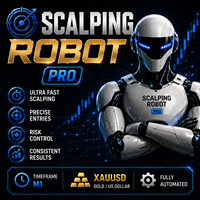
MT4 · Expert Advisor

Lena Scalp MT4 · Includes Presets

$20 one-timeEA + MT4 attach fix

scalpinggoldrisk managementai poweredgold tradingsmart stop loss

Download includes .set preset files ready to load in MetaTrader. AI-powered scalping Expert Advisor for MT4 platform specializing in XAUUSD (Gold) trading. Features advanced stop-loss technology utilizing artificial intelligence, dynamic stop-loss system that adapts to market conditions, and smart stop-loss validation every 10 seconds. No Martingale or grid trading strategies.

Overview

Download includes .set preset files ready to load in MetaTrader. AI-powered scalping Expert Advisor for MT4 platform specializing in XAUUSD (Gold) trading. Features advanced stop-loss technology utilizing artificial intelligence, dynamic stop-loss system that adapts to market conditions, and smart stop-loss validation every 10 seconds. No Martingale or grid trading strategies.

Best for
  • Scalping and short-term setups
  • XAUUSD / gold trading

Presets & settings

Includes 3 ready-to-load .set preset files. Load any file from the download in MetaTrader Inputs to apply those settings.

  • Version2.8.set
  • Version3.2.set
  • lena.set

In MetaTrader: open the EA Inputs tab → Load → select the .set file.

What's in the package?

Expert Advisor plus ready-to-load .set preset files — nothing extra, nothing hidden.

Expert Advisor and presets files to download

.ex4Expert Advisor
.setPresets

Charts & results

MetaTrader views, settings, and performance snapshots — tap to enlarge.

Common questions

How much does this tool cost?

Each tool in our store is a flat $20 one-time purchase. After payment you receive an instant download link — no subscription or recurring fees.

What makes LENA Scalp different from other Gold trading EAs?

LENA Scalp uses AI-powered technology with GPT-4o models for intelligent market analysis and smart stop-loss validation every 10 seconds. With 78% accuracy and dynamic stop-loss system, it's specifically designed for XAUUSD Gold scalping with artificial intelligence integration.

How do I install this tool?

After purchase, download the file from your confirmation page or recover link. Copy it to the correct MetaTrader folder (Experts for EAs, Indicators for indicators), restart the platform, and attach it to your chart.

Do I need a VPS for LENA Scalp?

While not strictly required, using a VPS (Virtual Private Server) is highly recommended for optimal performance. A VPS ensures 24/7 operation, stable internet connection, and minimal latency, which are crucial for AI-powered trading systems.

What are the key settings in LENA Scalp?

LENA Scalp includes comprehensive settings for AI analysis, smart stop-loss parameters, risk management, and GPT-4 integration. The EA features dynamic stop-loss validation, AI-driven trade management, and customizable risk controls for Gold scalping.

← All tools