Pick 3
$45$60
$15 each · save $15
Any 3 tools. Try a few strategies side by side.
Instant download · MT4 & MT5
Curated MetaTrader 4 and 5 Expert Advisors — gold, majors and more. Pay once and download right after checkout. $20 each, or bundle and save up to 62%.
Most-bought right now — $20 each, instant download.
Loading…
Mix any tools — MT4 or MT5, EAs or indicators.
$45$60
$15 each · save $15
Any 3 tools. Try a few strategies side by side.
$55$100
$11 each · save $45
Any 5 tools. A full toolbox to compare.
$60$160
$7.50 each · save $100
Any 8 tools you choose. Our lowest price per tool.
$60$160
8 MT5 EAs · one zip
No choosing needed: 5 gold, 2 majors and 1 Bitcoin EA we picked for MT5. 7 of 8 come with author presets and a published backtest.
See what's insidePick 8 or the kit? Both are $60. Pick 8 lets you choose any eight tools, MT4 or MT5, as separate downloads. The kit is our eight MT5 picks in one zip, with author presets for seven of them, ready to install.
Tap tools to add them. Best sellers first.
Loading tools…
MetaTrader 5 · 8 Expert Advisors
Our eight MT5 picks in one zip: five gold robots, two majors and one Bitcoin EA. 7 of 8 include author-recommended presets and a published backtest. Eight tools at $20 each would be $160.
 Quantum Queen XGold · M15Backtest
 Happy GoldGold · M15 · includes ZigZagBacktest
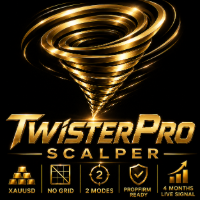 TwisterPro ScalperGold · M15Backtest
 EA Red DragonGold · M15Backtest
 Black WolfGold · M15Backtest
 Smart Owl FXMajors · Asian session · M5Backtest
 Full Throttle DMXMajors · H1Backtest
 Quantum Bitcoin EABTCUSD · H1 · includes TrendPulse
Tip: start with one or two on a demo account — five of these trade gold, so running them all on one account stacks the same XAUUSD risk.
Want a different eight? — MT4 or MT5, same $60, eight separate downloads.
Right after payment you land on a page with one download link per tool. Lost a link, or already used it? Enter your checkout email on the recovery page to get fresh links anytime.
In MT5 go to File → Open Data Folder → MQL5/Experts/ and copy the EA in, then restart MT5 or refresh the Navigator. If a preset is included, attach the EA, open Inputs → Load and pick the matching file from presets/. Enable Algo Trading and run on a demo account before any live money.
Yes. Pick any tools you like. Each download is the build for its own platform, so check which MetaTrader you run before you pick.
The reports on the backtest page show how these settings behaved in Strategy Tester — useful for comparison, not a forecast of your live results.
No. You pay once and keep the files.
Yes — message us on Telegram (@profxtools_support) or use the contact form for install or preset help. Trading decisions on your account stay yours.
Not sure what fits? Answer two questions and we'll suggest a match.